
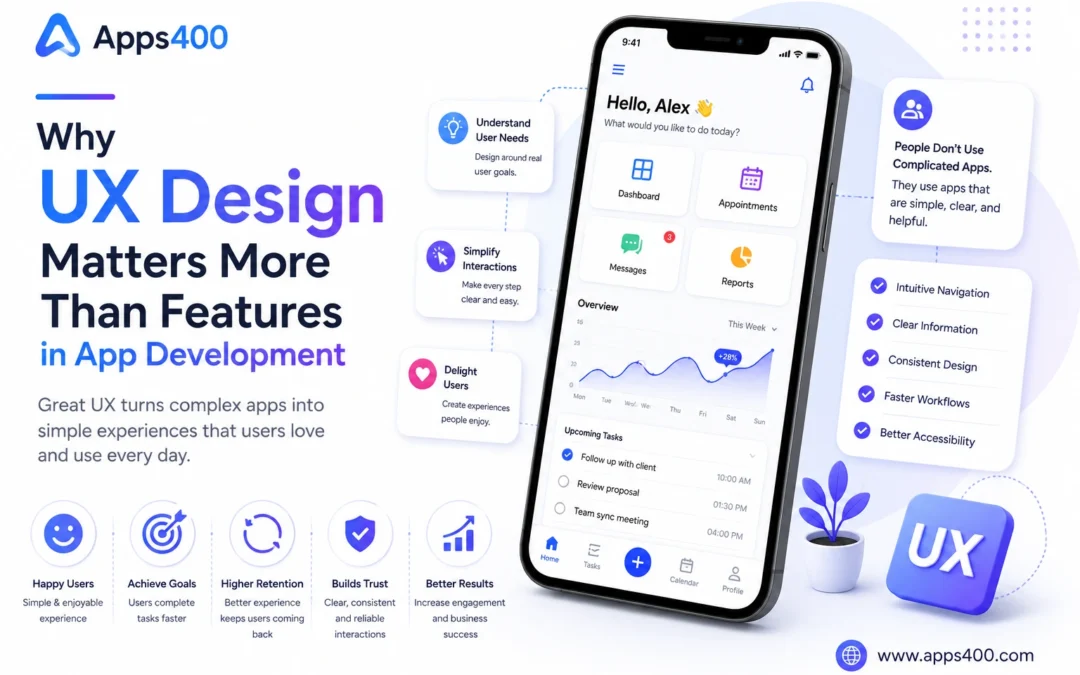
App development is not only about writing code or adding many features. A successful app should help users complete their work easily. It should feel simple, clear, and useful from the first time someone opens it.
Many founders, indie app developers, and software companies make one common mistake. They think more features will make the app better. But users usually do not judge an app by the number of features. They judge it by how easy it is to use.
This is where UX design in app development becomes very important. UX means user experience. It is about how users move through the app, understand the screens, complete actions, and feel while using the product.
A simple app with good UX can perform better than a feature-rich app with confusing design.
Users Want Solutions, Not Complexity
Most users do not open an app to admire its features. They open it because they want to solve a problem.
A business owner wants to check sales. A doctor wants to view patient details. A student wants to attend a class. A customer wants to book a service. A field agent wants to complete a task. In every case, the user has a goal.
If the app makes that goal difficult, the user may leave. Even if the app has many powerful features, users may not continue if they feel confused.
Good UX design helps users reach their goal faster. It removes unnecessary steps, reduces confusion, and gives clear direction. The best apps often feel simple because the difficult thinking has already been handled during design.
Feature Overload Can Hurt the Product
Adding too many features too early can damage the user experience. When every screen has many buttons, menus, filters, and options, users may not know where to start.
This is especially risky for startup apps and MVPs. Founders may want to add everything they imagined. But the first version of an app should focus on the most important user journey.
For example, a booking app should first make booking easy. A finance app should first make expense entry and reporting easy. A healthcare app should first make patient records, appointments, and doctor workflows simple.
Extra features can be added later. But the main workflow should be clean from the beginning.
Good UX is not about removing value. It is about showing the right value at the right time.
First Impression Matters
Users form an opinion quickly. When they open an app for the first time, they immediately notice whether it feels easy or difficult.
A complicated signup process, unclear dashboard, slow loading screen, or confusing menu can create a poor first impression. Once users feel the app is difficult, it is hard to win back their trust.
This is why onboarding is important. A good app should guide new users gently. It can use welcome messages, short instructions, sample data, empty-state messages, or tooltips.
The first experience should answer three simple questions:
What is this app for?
What should I do first?
How will this help me?
When users understand the value quickly, they are more likely to continue.
UX Helps Improve User Retention
User retention means users keep coming back to the app. Retention is more important than downloads or signups because it shows that people are actually getting value.
Poor UX reduces retention. If users need too much time to understand the product, they may stop using it. If common actions require too many clicks, they may look for another solution.
Good UX improves retention by making daily usage easier. It helps users develop a habit around the product.
For example, if a small business owner can add daily expenses in less than one minute, they may use the app every day. If a clinic receptionist can book appointments quickly without confusion, the software becomes part of the clinic workflow.
When software fits naturally into daily work, users stay longer.
Good UX Builds Trust
Trust is important in every app, but it is especially important in business, finance, healthcare, education, and enterprise software.
Users trust an app when it feels organized, predictable, and safe. Clear labels, helpful messages, proper validation, confirmation screens, and transparent actions all improve trust.
For example, when a user deletes a record, the app should ask for confirmation. When a form has an error, the app should clearly explain what needs to be fixed. When a payment is completed, the app should show a receipt or confirmation.
In healthcare applications, UX must be even more careful because users may deal with sensitive information and important workflows. A patient record screen, appointment system, or doctor dashboard should be designed for clarity and safety. Businesses building such platforms often work with a specialized [healthcare software development company](https://gegosoft.com/healthcare-software-development-company-in-india/) to create secure and user-friendly healthcare software.
Trust is not created only by security features. It is also created by how confidently users can use the app.
UX Supports Better Business Results
Good UX is not only a design concern. It directly affects business results.
If users understand the app quickly, onboarding becomes easier. If they complete actions faster, productivity improves. If they enjoy using the product, retention increases. If retention increases, revenue can improve.
For SaaS products, UX can affect trial conversions. A user who quickly understands the value of a product is more likely to become a paying customer.
For marketplaces, UX can affect transactions. If buyers and sellers can complete actions smoothly, the platform becomes more active.
For mobile apps, UX can affect ratings and reviews. A simple and stable app is more likely to receive positive feedback.
This is why UX should be seen as part of product strategy, not only visual design.
Simple Design Does Not Mean Basic Design
Some founders think simple design means the app will look too basic. This is not true.
Simple design means the app removes unnecessary confusion. It can still be modern, professional, and powerful.
A simple dashboard can still show important analytics. A simple form can still collect useful information. A simple mobile screen can still support advanced workflows.
The key is prioritization. Designers and developers should decide what is most important on each screen. The most common actions should be easy to find. Less common actions can be placed in secondary menus.
Good UX makes the app feel lighter, even when the system behind it is complex.
UX and Development Should Work Together
UX design should not happen separately from development. Designers and developers should work together from the early stage.
Designers think about user flow, layout, content, and usability. Developers think about data, logic, performance, and technical limitations. When both teams collaborate, the final product becomes stronger.
For example, a designer may create a clean form, but the developer can suggest validation rules and loading states. A developer may build a dashboard, but the designer can improve how the data is presented.
When UX and development work together, the app becomes both useful and practical.
Testing UX With Real Users
One of the best ways to improve UX is to test the app with real users. Founders should not assume that every user will understand the app in the same way.
Even simple user testing can reveal problems. A founder can ask a few target users to complete important tasks and observe where they get stuck.
Questions to ask include:
Can users complete the main action without help?
Do they understand the menu labels?
Are they confused by any screen?
Do they know what to do after login?
Are any steps taking too long?
These answers can help improve the app before a larger launch.
Conclusion
UX design in app development is more important than many founders realize. Features are useful only when users can understand and use them easily. A product with many features but poor UX may fail, while a simple product with clear user experience can grow successfully.
For indie app developers, software companies, and internet entrepreneurs, UX should be part of the product plan from the beginning. The goal is not to create a beautiful app only. The goal is to create an app that helps users complete real tasks with confidence.
Every strong software product starts with a useful idea. When that idea is supported by simple UX, thoughtful design, and reliable development, it can become software that people enjoy using and continue using for a long time.