
Remote work and streaming have both made video quality matter in ways it never used to, and most built-in laptop cameras simply weren’t built with that expectation in mind, leaving most people looking grainy, poorly lit, and slightly distorted on every call. A dedicated webcam fixes this almost immediately, often more effectively than any lighting or software fix alone, since dedicated camera sensors and lenses handle low light and detail in ways a thin laptop bezel camera never could. In 2026, the best webcams have also gotten smarter about autofocus and exposure, adjusting automatically to a person moving around rather than requiring manual settings adjustments mid-call. Here are five webcams worth considering this year, whether you’re joining daily work meetings or streaming to an audience. Most connect over a single USB-C cable with no separate power adapter needed, keeping desk setups simple regardless of which model you choose.
Logitech StreamCam
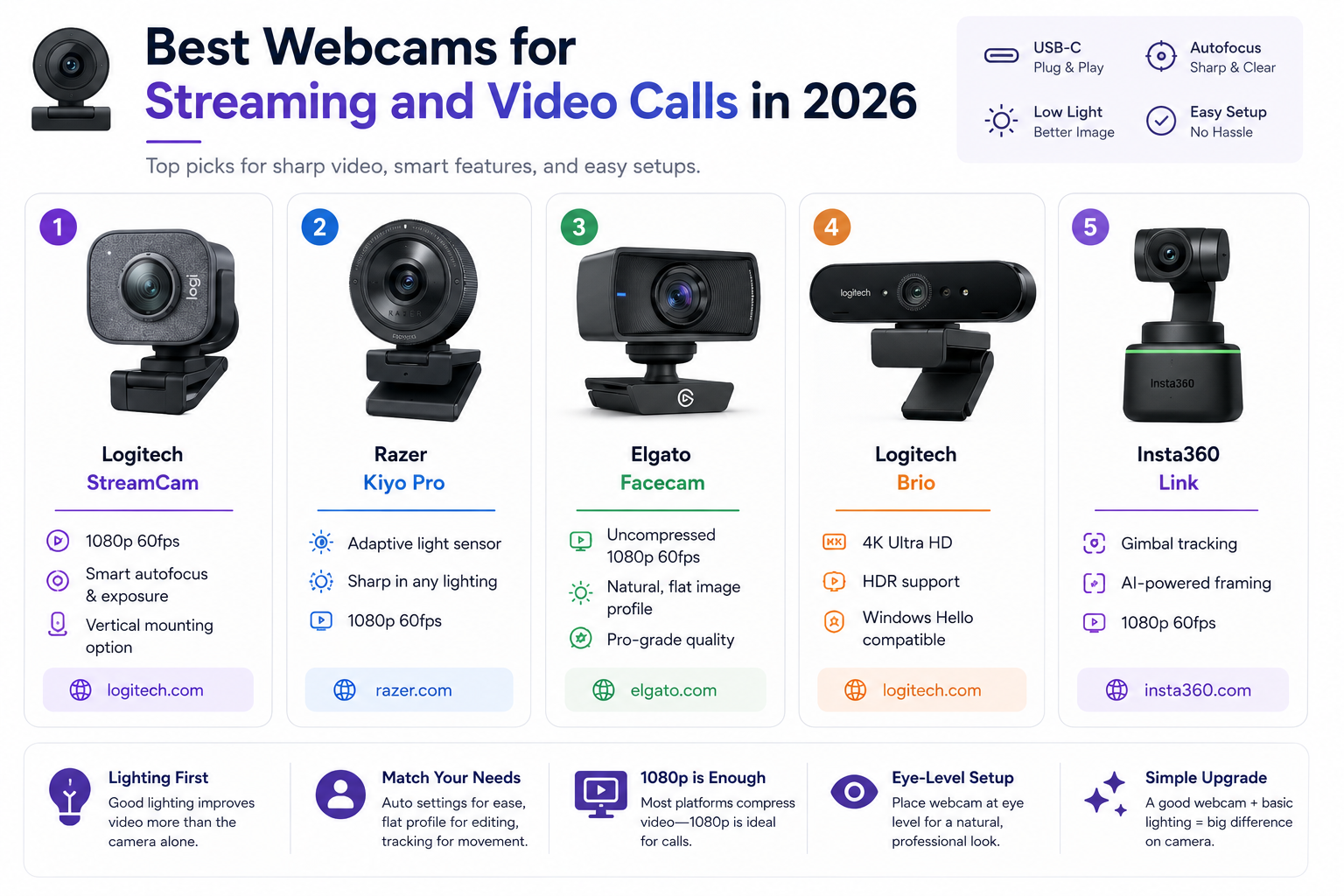
Logitech StreamCam delivers genuinely crisp 1080p60 video with reliable autofocus and exposure tracking that keeps a moving presenter properly lit and in focus, backed by a vertical orientation option that suits both streaming and portrait-style content.
www.logitech.com/en-us/products/webcams/streamcam.html
Razer Kiyo Pro
Razer Kiyo Pro uses a genuinely capable adaptive light sensor to handle challenging lighting conditions far better than most competitors, making it a strong pick for streamers or remote workers without control over their room’s lighting setup.
Elgato Facecam
Elgato Facecam prioritizes a genuinely flat, uncompressed image profile favored by serious streamers who want full control in editing software rather than a camera that applies its own aggressive processing to the footage.
Logitech Brio
Logitech Brio remains the choice for anyone wanting genuine 4K resolution, along with HDR support and Windows Hello facial recognition login, appealing to professionals who want the sharpest possible image for high-stakes video calls.
Insta360 Link
Insta360 Link uses a physically gimbal-stabilized camera that actually tracks and follows a presenter around the room, an unusual but genuinely useful feature for anyone who moves while presenting rather than sitting perfectly still.
Lighting still matters more than the camera itself in most home setups, so even the best webcam benefits from at least one soft light source facing the presenter rather than relying purely on the camera’s low-light processing to compensate. Streamers who want full creative control in post-production software should lean toward Elgato Facecam’s flatter image profile, while remote workers who just want something that looks great immediately with zero setup benefit more from the Logitech StreamCam or Razer Kiyo Pro’s automatic adjustments. Anyone frequently presenting while moving around, rather than staying seated, gets genuine practical value from the Insta360 Link’s tracking capability that a fixed webcam simply can’t replicate. Resolution matters less than most buyers assume beyond 1080p for typical video calls, since most video conferencing platforms compress the stream heavily regardless of the source camera’s actual resolution. It’s worth positioning any webcam at eye level rather than looking down from a laptop lid, since camera angle affects perceived professionalism just as much as raw image quality.
A dedicated webcam remains one of the more affordable upgrades for anyone spending real hours on video calls or streaming, closing a gap that no amount of software filtering can fully replicate. Pair your pick with even basic lighting improvements, since the combination of the two matters far more than either alone for looking genuinely professional on camera. A cheap ring light paired with a mid-range webcam consistently outperforms an expensive camera fighting bad overhead lighting.