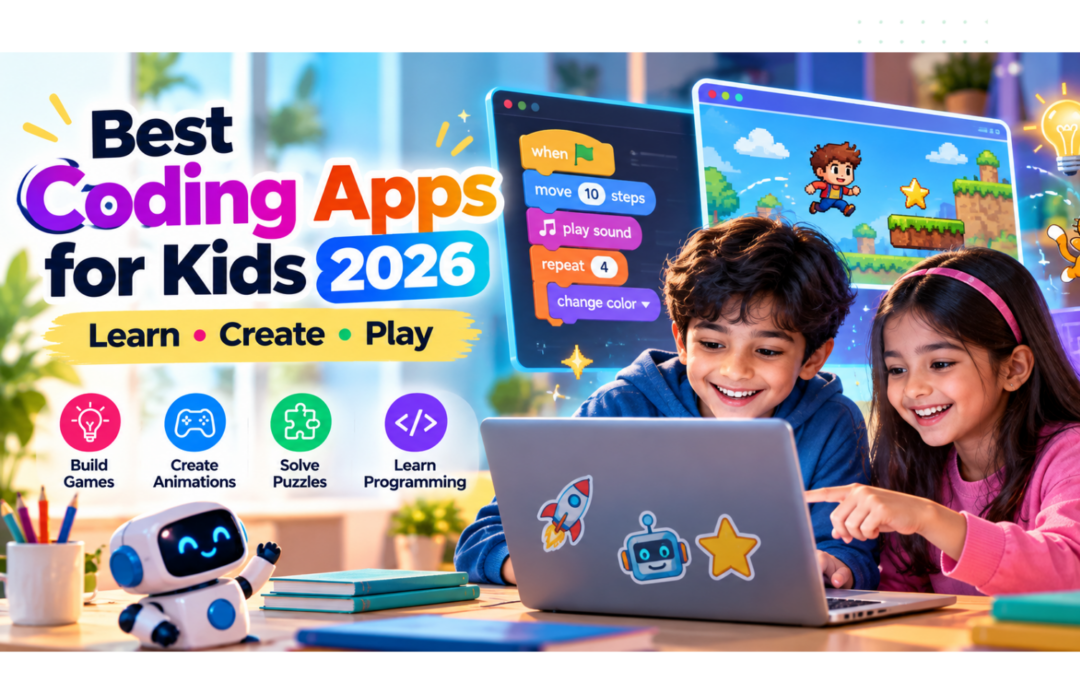
Children are growing up in a world shaped by technology. They use apps to learn, play games, watch videos, and communicate with others. But what if children could move beyond simply using technology and start creating it themselves?
Coding apps make that possible.
Modern coding apps introduce programming through colorful puzzles, interactive stories, game-building activities, and visual instructions. Children can learn how computers follow instructions, solve problems, and respond to different actions without needing to understand complicated programming languages.
The best part is that coding does not have to feel like a classroom lesson. For young children, it can be as simple as helping a character move through a maze or making a cartoon animal dance.
In this guide, we explore some of the best coding apps for kids in 2026, including free options, beginner-friendly tools, and platforms for children ready to explore more advanced programming.
Why Should Kids Learn Coding?
Coding is more than learning how to write computer programs. It encourages children to think logically, experiment with ideas, and understand how different actions produce different results.
Here are some important skills children can practice through coding activities:
- Logical thinking: Understanding the order in which instructions should be completed.
- Problem-solving: Finding solutions when a character or program does not behave as expected.
- Creativity: Building games, animations, and interactive stories.
- Persistence: Learning to try different solutions instead of giving up.
- Computational thinking: Breaking larger problems into smaller, manageable steps.
Coding apps can introduce these concepts through playful activities that are suitable for different learning stages.
However, an app should not replace every other activity. Children benefit from a balanced routine that includes outdoor play, reading, social interaction, and hands-on learning.
Best Coding Apps for Kids in 2026
1. ScratchJr — Best for Young Beginners
ScratchJr is a beginner-friendly programming app designed for young children who are just starting to explore coding.
Instead of typing instructions, children use colorful programming blocks to control characters and create simple interactive stories.
They can make characters move, jump, speak, and respond to different actions. The visual interface makes it easier for children to experiment with programming concepts before they develop strong reading or typing skills.
Key Features:
- Visual block-based programming.
- Interactive stories and simple games.
- Beginner-friendly interface.
- Creative activities for young learners.
- No traditional coding syntax required.
Best For: Children aged approximately 5–7.
ScratchJr is an excellent starting point for introducing basic programming ideas through creative play.
2. Scratch — Best for Creating Games and Animations
Scratch is one of the most popular beginner programming platforms for children.
Developed by the Scratch Foundation and MIT Media Lab, Scratch allows children to create interactive games, animations, stories, and other projects using visual programming blocks.
Children can combine movement, sound, events, and other instructions to build their own projects.
For example, a child could create a simple racing game, animate a favorite character, or design a quiz.
Key Features:
- Drag-and-drop programming blocks.
- Game and animation creation.
- Interactive storytelling.
- Free access to the programming environment.
- A large community of shared projects.
Best For: Children aged approximately 8 and above.
Scratch is particularly useful for children who enjoy experimenting and want to create something of their own rather than simply complete predefined puzzles.
3. codeSpark Academy — Best for Learning Through Puzzles
codeSpark Academy introduces coding through playful puzzles and interactive activities.
Its visual, word-free interface makes it suitable for younger children who are still developing their reading skills.
Children can explore programming concepts such as sequencing, loops, and problem-solving through game-based activities.
The platform also includes creative activities that allow children to build their own games.
Key Features:
- Word-free coding activities.
- Interactive puzzles.
- Game creation tools.
- Beginner-friendly programming concepts.
- Activities designed for young learners.
Best For: Children aged approximately 4–10.
codeSpark Academy can be a good choice for parents looking for a structured introduction to programming that feels more like playing a game.
4. Tynker — Best for Learning Coding Step by Step
Tynker offers a structured learning experience for children who want to progress from simple programming concepts toward more advanced coding.
Children can begin with visual programming blocks and gradually explore text-based languages such as Python and JavaScript.
The platform includes coding challenges, creative projects, and themed learning activities.
Tynker also offers activities involving game development and Minecraft-related programming.
Key Features:
- Visual block-based coding.
- Progression toward text-based programming.
- Interactive coding challenges.
- Game development activities.
- Learning pathways for different experience levels.
Best For: Children aged approximately 5–18, depending on the course.
Tynker is worth exploring for children who are interested in continuing their coding journey beyond beginner-level puzzles.
5. Kodable — Best for Learning Programming Logic
Kodable introduces programming through colorful characters, mazes, and interactive challenges.
Children learn how to arrange instructions to guide characters through different environments.
As they progress, they can explore more advanced programming concepts.
The activities are designed to make programming logic easier to understand through visual interaction.
Key Features:
- Interactive coding puzzles.
- Visual programming activities.
- Step-by-step challenges.
- Introduction to programming logic.
- Learning activities for young children.
Best For: Children aged approximately 4–10.
Kodable can be a useful option for parents who want to introduce programming concepts before their children begin writing actual code.
6. CodeCombat — Best for Older Kids Learning Real Code
CodeCombat takes a different approach from many beginner coding apps.
Instead of relying entirely on visual blocks, children can learn programming by writing actual code to control characters in a game environment.
The platform introduces languages such as Python and JavaScript through interactive challenges.
Children must use programming instructions to complete levels, solve problems, and progress through the game.
Key Features:
- Text-based programming.
- Python and JavaScript learning.
- Interactive game challenges.
- Problem-solving activities.
- Progression toward real programming syntax.
Best For: Older children and beginners who are ready to explore text-based programming.
CodeCombat can be particularly appealing to children who enjoy games and want to understand how programming works behind the scenes.
Coding Apps for Kids: Quick Comparison
| App | Best For | Coding Style | Cost |
|---|---|---|---|
| ScratchJr | Young beginners | Visual blocks | Free |
| Scratch | Games and animations | Visual blocks | Free |
| codeSpark Academy | Puzzle-based learning | Visual coding | Subscription |
| Tynker | Structured learning | Blocks and text | Free and paid options |
| Kodable | Programming logic | Visual coding | Free and paid options |
| CodeCombat | Real programming | Text-based code | Free introductory content and paid options |
Pricing, availability, and subscription plans can change. Check the official app or website before subscribing.
How to Choose the Right Coding App for Your Child
Every child learns differently. The best coding app depends on their age, interests, and experience with technology.
For Children Aged 4–7
Start with simple visual coding activities.
Apps such as ScratchJr, codeSpark Academy, and Kodable introduce programming through colorful characters, puzzles, and basic instructions.
At this age, the goal should be exploration and enjoyment rather than memorizing programming concepts.
For Children Aged 8–12
Children in this age group may enjoy creating their own games and animations.
Scratch is a strong starting point because it allows children to experiment with programming blocks and build interactive projects.
Tynker can also be useful for children who prefer guided lessons and structured activities.
For Teenagers
Older children may be ready to explore actual programming languages.
Platforms such as Tynker and CodeCombat can introduce Python and JavaScript through interactive learning experiences.
The right choice depends on whether the child prefers structured lessons, game-based challenges, or creating independent projects.
Are Coding Apps Worth It for Kids?
Coding apps can be valuable learning tools when children use them with a clear purpose.
They provide opportunities to experiment, solve problems, and create digital projects. Children can also learn that mistakes are part of the process and that changing an instruction can produce a different result.
However, downloading a coding app does not automatically mean a child will become a programmer.
Parents can make the experience more meaningful by:
- Choosing activities that match the child’s age and interests.
- Encouraging children to create their own projects.
- Asking children to explain how their games work.
- Exploring projects together.
- Maintaining healthy screen-time boundaries.
The most important thing is to encourage curiosity rather than pressure children to learn programming before they are ready.
Frequently Asked Questions
What is the best free coding app for kids?
ScratchJr and Scratch are excellent free options for introducing programming. ScratchJr is designed for younger children, while Scratch offers more creative possibilities for older beginners.
At what age can children start learning coding?
Children can begin exploring basic programming concepts through visual activities from around age four or five. The appropriate starting point depends on their interests and developmental stage.
Can kids learn coding without a computer?
Yes. Some coding apps work on tablets, and many beginner-friendly programming activities use visual blocks rather than a traditional keyboard. Children can also explore coding concepts through physical games and unplugged activities.
Is Scratch suitable for beginners?
Yes. Scratch is designed to make programming accessible through visual blocks. Children can create games, animations, and interactive stories without having to type complicated programming syntax.
Do coding apps help children develop problem-solving skills?
Coding activities can provide opportunities to practice logical thinking, sequencing, debugging, and problem-solving. These skills are developed through experimentation and working through challenges.
Final Thoughts
Coding apps offer an exciting way for children to explore technology and creativity.
From ScratchJr’s simple visual activities to Scratch’s game-building tools and CodeCombat’s text-based challenges, there are options for different ages and experience levels.
For most beginners, starting with a free app is a sensible approach. Parents can observe what their children enjoy and introduce more structured learning as their interest grows.
The goal is not to turn every child into a programmer. It is to help children become curious, creative, and confident problem-solvers who understand that technology can be something they create—not just something they use.