Canva started as a simple tool for making social media graphics without needing design skills. In 2026, it has become a full creative suite with AI image generation, video editing, presentation building, and team collaboration tools that rival dedicated professional platforms. This review tests every major update and answers whether Canva Pro is worth the subscription for different types of users.
What Canva Is in 2026
Canva is a web-based design platform with iOS and Android apps that gives anyone the tools to create professional-quality graphics, videos, documents, and presentations without design training. It offers over a million templates, a drag-and-drop editor, AI-powered generation tools, and real-time collaboration. Available at www.canva.com – Download on the Play Store or get it on the App Store.
The platform serves a remarkably broad range of users – social media managers, small business owners, teachers, marketing teams, nonprofit communicators, and individual creators. Its strength is making professional design accessible without requiring years of technical skill or expensive software licenses.
The Biggest New Features in Canva 2026
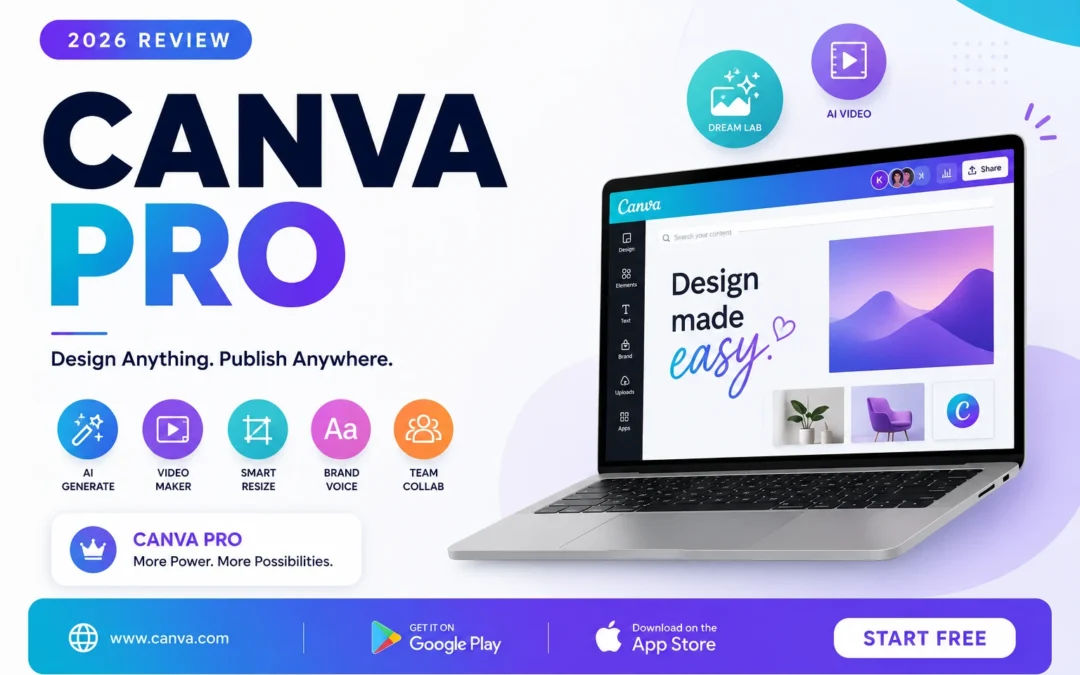
Dream Lab is the standout new tool. Type a description of the image you want – for example, a minimalist product photo of a white ceramic mug on a wooden table with soft morning light – and Dream Lab generates a photorealistic image in seconds. The quality in 2026 is significantly better than the 2024 version and genuinely competitive with dedicated AI image tools like Midjourney for many use cases.
The AI Video Generator takes a written script or a set of image prompts and produces a short branded video complete with transitions, text overlays, and background music suggestions. For social media content teams, this cuts production time for short-form video by a significant margin compared to manual editing workflows.
Smart Resize automatically adapts a design to over fifty different format dimensions with one click. Create a LinkedIn banner and instantly get a Facebook post, Instagram story, email header, and Twitter card – all correctly proportioned and with elements repositioned to fit each canvas size. For teams managing multi-platform content, this single feature saves hours per week.
Brand Voice is a Pro feature that analyses your existing content and learns your organisation’s tone and style. When you use Magic Write – Canva’s AI text generator – it writes in your brand’s voice rather than generic AI output. For marketing teams managing multiple campaigns, this is a significant time saver and consistency enforcer.
Mobile App Experience in 2026
The Android and iOS apps are remarkably capable in 2026. Create full multi-page presentations from your phone, access all AI tools including Dream Lab, collaborate with team members in real time, and export finished files in multiple formats. The touch-based editing controls are well designed and performance on mid-range phones is smooth.
One limitation remains: complex projects with many layers are still best handled on desktop. The mobile app is excellent for creating, editing, and approving content on the go, but for production-level design work involving many elements, the full browser experience is still preferable. This is an acceptable trade-off given how much the mobile experience has improved in this cycle.
Canva Free vs Canva Pro
The free tier is genuinely generous – access to hundreds of thousands of templates, the basic editor, up to five gigabytes of storage, and limited AI credits for Dream Lab and Magic Write. For a small creator or a school project, the free tier may be all you ever need.
Canva Pro at fifteen dollars per month per user adds the full Brand Kit with custom fonts and colour palettes, one hundred gigabytes of cloud storage, the background remover, unlimited premium templates, and unlimited AI credits across all generation tools. For professionals, agencies, and teams, the Pro subscription pays for itself quickly in saved time and reduced stock photo costs.
How Canva Compares to Alternatives in 2026
Adobe Express offers similar functionality with tighter Adobe ecosystem integration but a smaller template library and less polished AI tools. Microsoft Designer has improved in 2026 but is still catching up to Canva’s template quality and variety. Figma is more powerful for UI design but is not intended for social media content creation. Canva occupies a unique position that none of these tools challenge directly – it is the best tool for the ninety percent of design needs that most professionals encounter daily.
Who Should Use Canva in 2026
Social media managers, content creators, small business owners, teachers, non-profit communicators, and anyone who needs professional design results without a design budget. If you are already paying for Adobe Creative Cloud and primarily use Photoshop and Illustrator for complex work, Canva complements rather than replaces those tools for quick social and marketing content.
Final Verdict
Canva 2026 is the best design tool for non-designers and a strong secondary tool for professionals who need fast output alongside their primary design software. The AI features are genuinely productive rather than just impressive demos, and the mobile app makes design possible anywhere.
Start free at www.canva.com or download on the Play Store and App Store. The free tier is enough to decide if the Pro subscription is worth it for your workflow